

Reclaiming Control with Mindful Digital Curation
That dreaded pop-up. "iPhone Storage Full."
Apple's default response: pay more for iCloud. Your instinct: panic-delete. Neither is acceptable. Your iPhone is choked with hidden waste — massive 4K files, Live Photo video layers, burst sequences — but the answer isn't aggressive automated deletion. Safe and effective photo management is about becoming an intelligent curator of your own archive.
Understanding the Fear: Digital Photo Anxiety
If you have 10,000, 20,000, or 50,000 photos on your iPhone, you are not alone. The sheer volume creates an immense psychological burden — and that feeling leads to inaction.
This is exactly why aggressive "cleaner apps" are so dangerous. They prey on your desperation, offering a magic "Clean Now" button that takes control completely away from you. An algorithm cannot grasp a visual narrative. Three "similar" photos of a toddler are redundant data to an AI. To a parent they represent a sequence: the wobbly start, the triumphant middle, the soft fall. Only you know which one matters.
You don't need an app to delete your past. You need a tool to audit your data weight.
Why True Safety Requires "See All" Before "Delete Some"
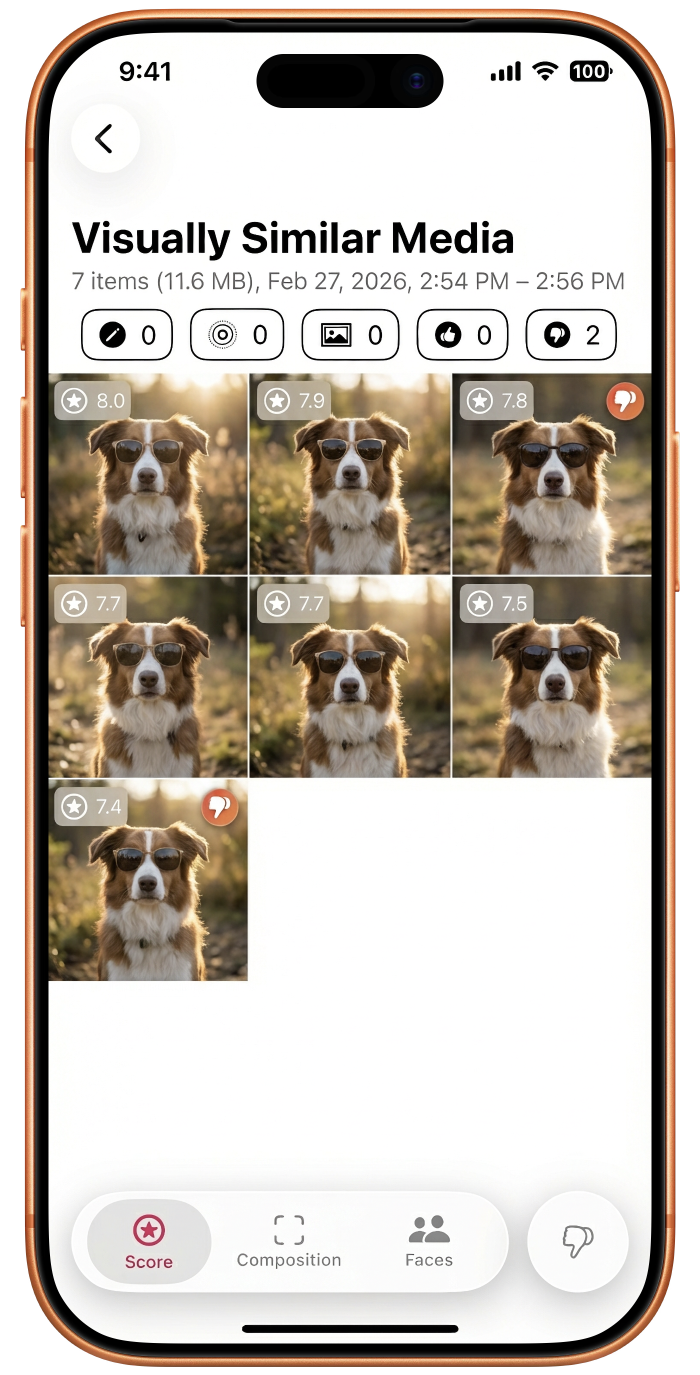
A true duplicate is rarely a 1:1 exact copy. It's usually a cluster: 14 burst-mode shots of your dog, 6 slightly different angles of a sunset, three screenshots of the same recipe. An algorithm might arbitrarily pick one to save — but only you know which one has the perfect smile or the best lighting.
These nuances require human decision-making. You need to see all candidates before you safely remove any.
The Safety-First Protocol: Step by Step
Step 1 — The Initial Scan
Don't scroll randomly. Identify the clusters where you know you over-shot: vacations, weddings, concerts, that one really good meal. These are your highest-ROI targets.
Step 2 — Visual Comparison Side by Side
Review all potential duplicates together. Compare timestamps, check file sizes (is one a heavy Live Photo and the other a standard JPEG?), and zoom into specific details. The best shot isn't always the obvious one.
Step 3 — Intentional Choice, Not Blind Faith
Apply your own guiding principles: highest quality, best expression, most complete context. You are the curator — make an intentional choice rather than delegating to an algorithm.
Step 4 — The Recovery Net
Deletion is not instantly permanent. iOS's Recently Deleted album holds everything for 30 days. If you make a mistake, you have a month to undo it. Breathe easy.
Curating Your Story: Beyond Pure Duplication
Mindful curation goes deeper than picking the sharpest frame. Ask yourself how many variations of the exact same sunset you really need to tell the story of that evening. Learn to classify your media:
- Sentimental value — irreplaceable moments with loved ones. Keep the best.
- Documentary value — hotel room numbers, whiteboards, parked car locations. Keep until the event ends, then purge.
- Transient content — memes, accidental pocket shots, temporary screenshots. Delete without guilt.
Building the Habit
Curation isn't a one-time emergency procedure — it's an ongoing practice. Prevent future clutter today:
- Turn off Live Photos when you don't need motion
- Stop shooting everyday moments in 4K
- Spend five minutes every Sunday reviewing the past week's photos
The Tool That Makes This Effortless
Achieving the Safety-First Protocol across 50,000 photos is daunting manually. That's where Photosweepy transforms the task.
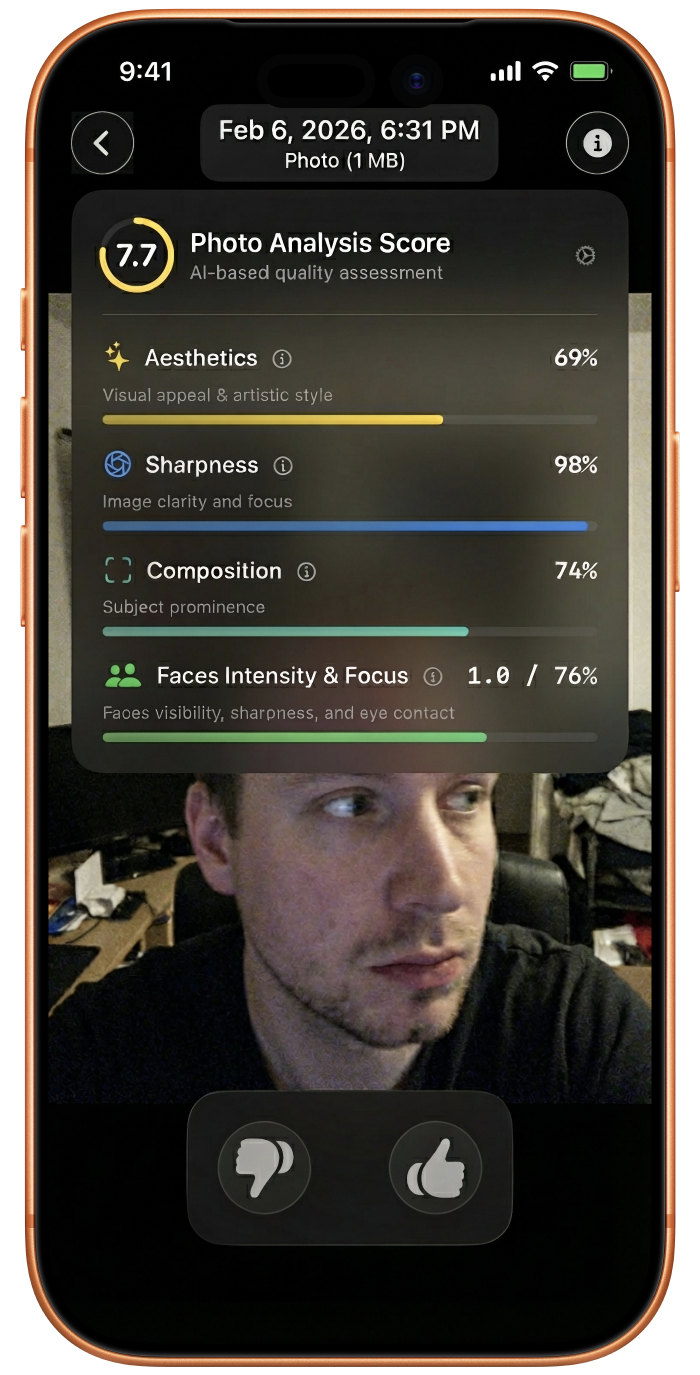
It intelligently groups your photos into visual clusters of duplicates, similar shots, and bursts — presented side-by-side with quality scores across sharpness, composition, and face detection. You make every choice. The app provides the evidence.
Stop letting Apple's defaults dictate your storage limits. It's time to see exactly what is weighing down your iPhone.
Download Photosweepy — your first audit is free.