

A Day in the Life of Your Camera Roll
7:42 AM — three TikTok outfit screenshots saved to camera roll.
12:15 PM — fourteen nearly identical shots of an iced matcha.
18:03 PM — a 42-photo burst trying to nail golden hour.
23:11 PM — eight group chat screenshots.
Day after day. No filtering. No deletion. Until one weekend, at a concert you waited months for, your screen goes dark with the modern tragedy: "Storage Almost Full."

Your Gallery Is Not Chaotic by Accident
Your library behaves exactly as Apple designed it to. Everything gets stored. Nothing gets evaluated. Duplicates, blurry outtakes, and bad angles accumulate silently. Worse, Apple's defaults are actively conspiring against your free space:
- Live Photos — every selfie is secretly a heavy 3-second video.
- Space Ghosts — when you edit a photo, the full unedited original hides behind it.
- 4K defaults — that 15-second outfit-check video just ate half a gigabyte.
This is not memory. This is accumulation.
Why Manual Deletion Never Works
You start doom-scrolling chronologically, deleting a blurry photo here, a random receipt there. Two hours later you've reclaimed 50 MB out of 14 GB. It's a frustrating game of digital whack-a-mole.
Think of your iPhone storage like a massive walk-in closet. The thumbnails you scroll through every day are the clothes hanging at the front. The other 90% — the heavy invisible data weight — is giant boxes of winter coats shoved in the back. You can't clean a closet by throwing away a few pairs of socks.
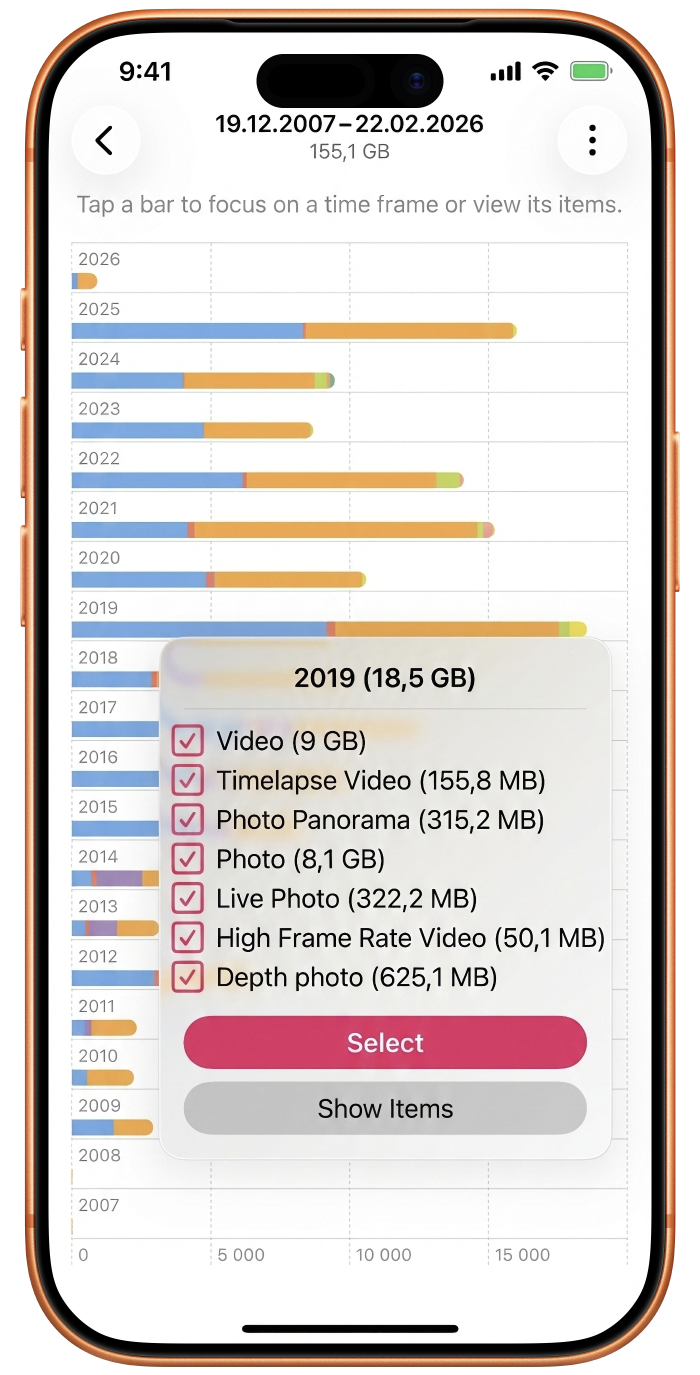
The Two Culprits Eating Your Storage
Space Ghosts
Every time you crop or adjust a photo, iOS silently keeps the massive unedited original alongside your edited version. You see one photo; your storage pays for two. These invisible duplicates are Space Ghosts — and they don't show up in your camera roll at all.
Storage Hogs
A single vacation or concert can generate gigabytes of 4K video and burst-mode photos you'll never look at. One burst session alone can hide 300–400 MB behind a single thumbnail.
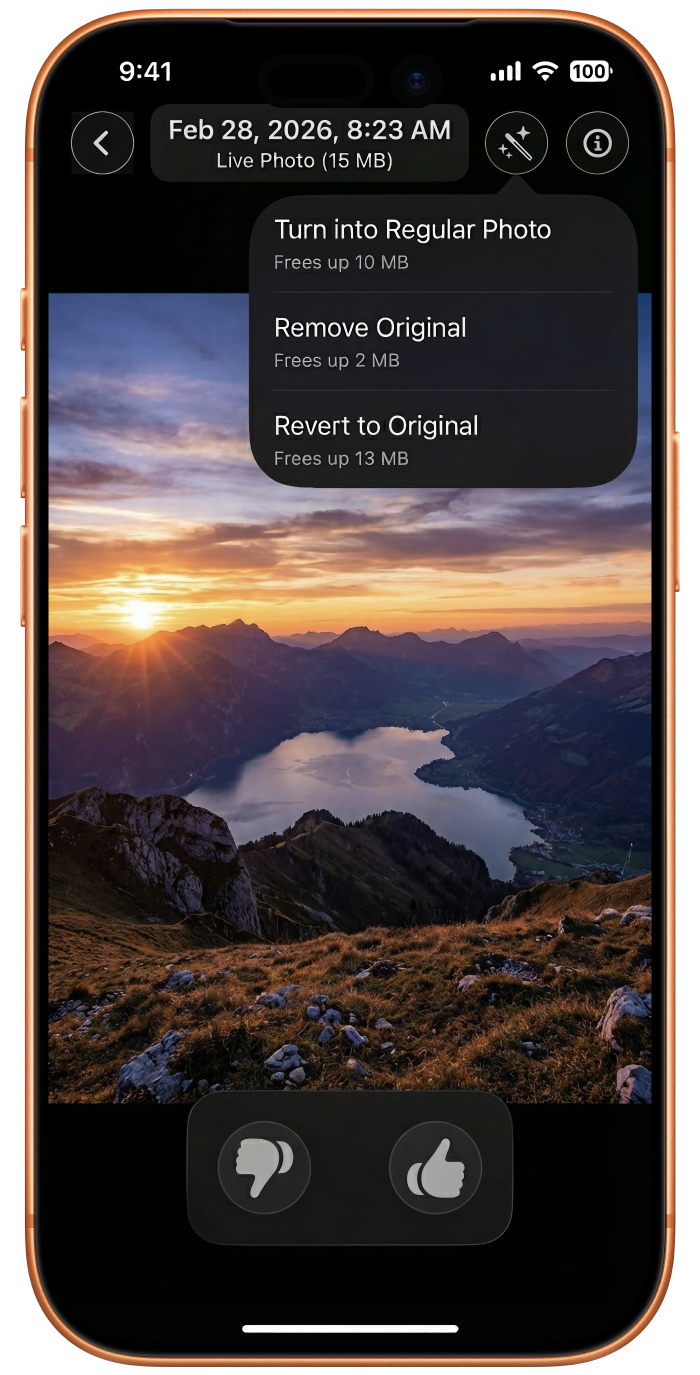
The Right Approach: Audit by Data Weight
The secret to safely clearing storage isn't deleting visible memories — it's shifting your philosophy entirely. Audit by data weight and category, not by chronological scrolling.
Instead of asking "do I love this photo?", ask "which 1% of my files is responsible for 50% of my storage?"
That's the question Photosweepy is built to answer. It uses on-device, privacy-first analysis — your photos never leave your phone — to reveal the hidden architecture of your storage and hand you the controls.
Run your first 1-minute gallery audit. Download Photosweepy and see your hidden storage for yourself.