

And Why Deleting Photos Isn't Working
You're trying to capture a once-in-a-lifetime moment — your kid's graduation, a stunning sunset — and the screen freezes.
"Storage Full."
Panic sets in. You frantically scroll your camera roll, agonizing over which memories to sacrifice just to make room for one new shot. You delete fifteen screenshots, five older selfies. And then you check the storage bar. It barely moved.

Apple's Defaults Are Working Against You
Here's the infuriating truth: you're not running out of space because you take too many photos. You're running out of space because of invisible, heavy data defaults you didn't ask for.
- Live Photos — turned on by default, every still image secretly records a 3-second HD video alongside it, instantly doubling or tripling the file size.
- 4K video defaults — that quick concert clip defaulted to 4K and ate 600 MB in ninety seconds.
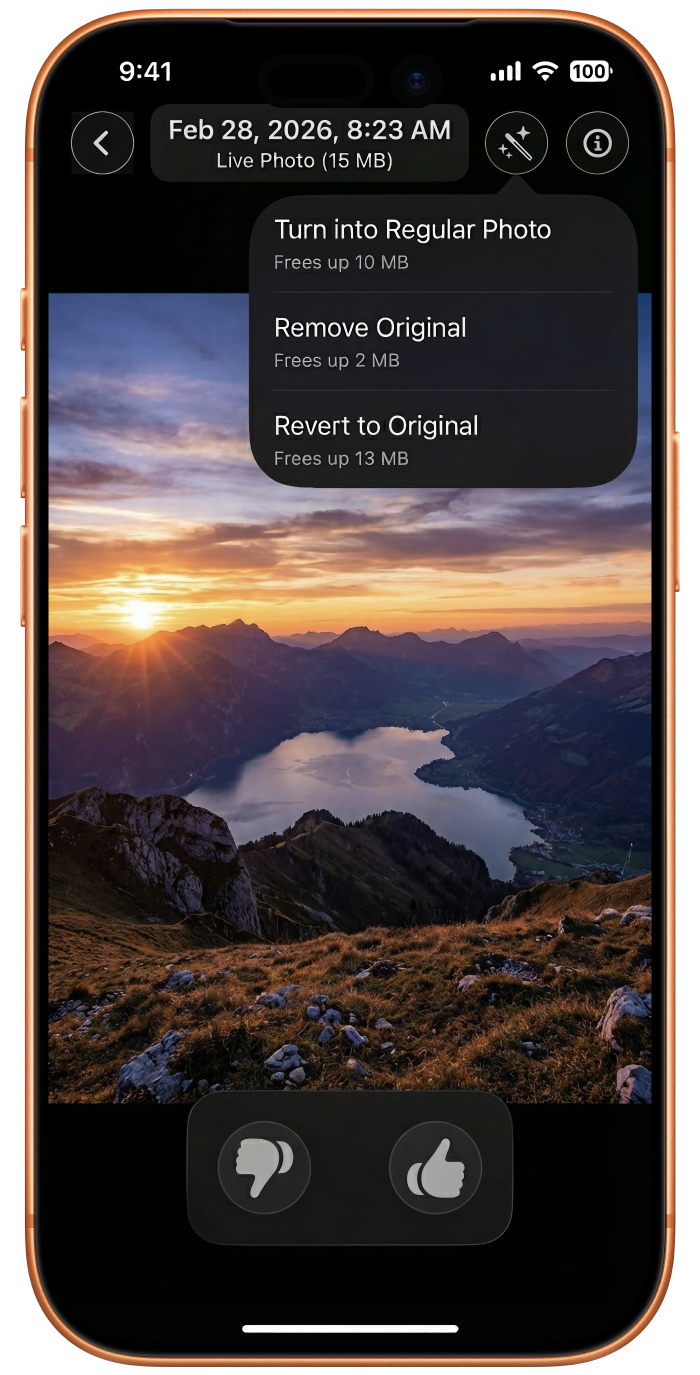
- Hidden edit originals — every time you tweak brightness or crop, iOS keeps the full unedited original silently in the background.
These aren't bugs. They're features designed to capture the best possible quality — at the cost of your available storage.
The Warehouse Mental Model
Think of your iPhone's camera roll as a warehouse. Trying to free up space by chronologically scrolling and deleting standard thumbnails is like trying to empty the warehouse by throwing out loose sheets of paper.
Sitting in the dark corners are massive, invisible lead weights — the forgotten 4K videos, the hidden ProRes files, the duplicated Live Photo assets. You can't lose weight by cutting your hair, and you can't reclaim gigabytes by deleting small JPEG thumbnails.
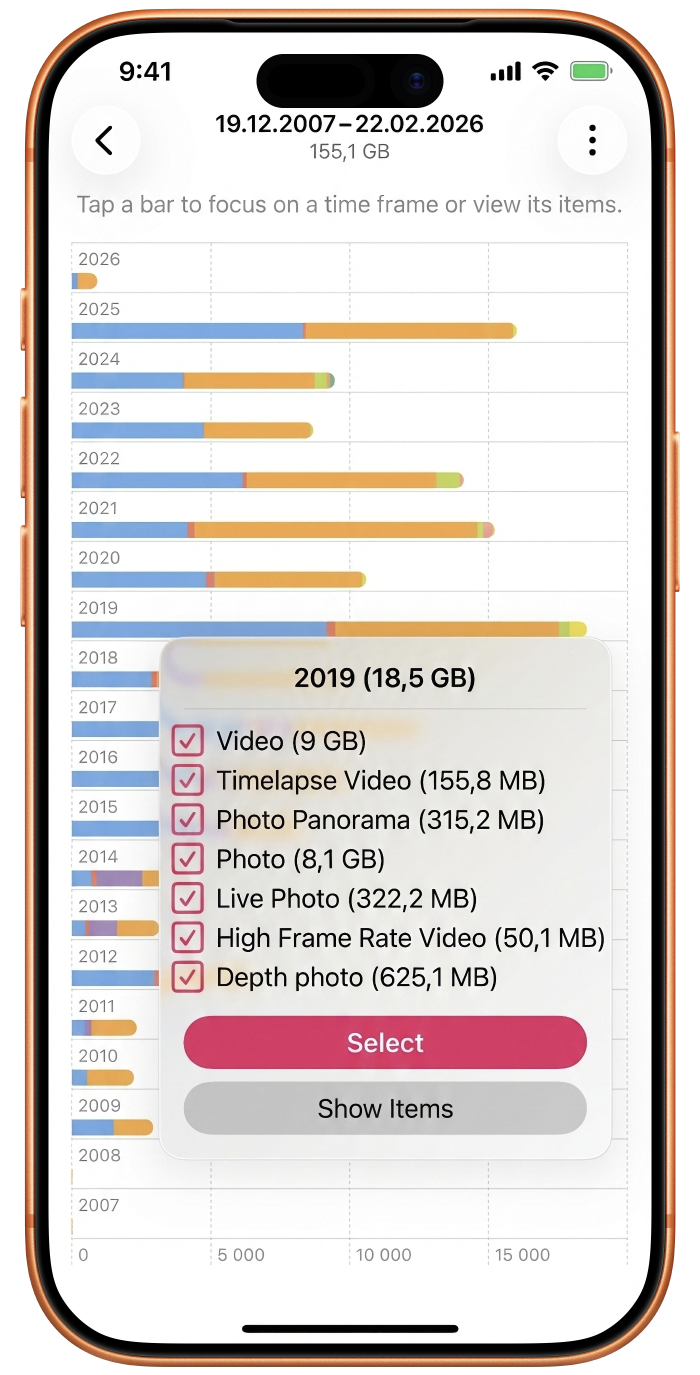
The Mindset Shift: Audit Data Weight, Not Memories
The fix is a simple but revolutionary reframe: stop agonizing over memories and start auditing data weight.
You don't need a ruthless algorithmic vacuum cleaner. You need a decision-support tool — one that shows you the heaviest, most redundant files first so you can free up massive amounts of space while confidently keeping every photo that actually matters.
What to target first
- Storage Hogs — the massive 4K videos from events you barely remember recording
- Space Ghosts — the invisible originals hiding behind every edited photo
- Burst clusters — forty near-identical shots from a single moment, when you only need one
The Tool Built for This
This is exactly why we built Photosweepy.
It's not a blind automated cleaner — it's a Digital X-Ray for your media vault. On-device, privacy-first analysis. Your photos never leave your phone. Instead of a terrifying "delete all" button, Photosweepy gives you surgical lenses:
- Storage Hogs Lens — instantly isolates the massive files dragging your phone down
- Space Ghosts Lens — exposes the invisible data layers you didn't know existed
- Smart Stacks — groups burst shots side-by-side so you pick the keeper
Stop letting Apple's defaults hold your memories hostage.
Download Photosweepy on the App Store and run your first free gallery audit.